

How to Buy a Service on Serpworks
Buying professional services on Serpworks is a straightforward, secure process designed to connect you with top-tier talent. Whether you are looking for specialized expertise or looking to outsource tasks to streamline your business operations, our platform ensures your payments remain protected through Serpworks Escrow until the job is completed to your satisfaction. Follow this step-by-step guide to learn how to browse services, communicate with freelancers, place orders, and manage your projects seamlessly from your account dashboard. Log in to Your Account and go to the dashboard. If you need to create an employer account, follow our guide on How To Signup as a Client on Serpworks.
Direct Answer Summary
To buy a service on Serpworks, browse the Services Page or search on the Freelancers Page, choose a package, and click Buy Now to complete checkout. Once payment is confirmed by the Serpworks Escrow Team, manage active orders under Dashboard > Services > Ongoing Services. Communicate and share files using the Add History button. When the work is delivered, mark the order as Completed and leave a star rating review for the seller.
Step 1: Browse Services or Freelancers
You can view all available services on the Services Page or search for individual talent on the Freelancers Page. Use the Serpworks sidebar filters to narrow down options according to your requirements.
Step 2: Review Details & Place Your Order
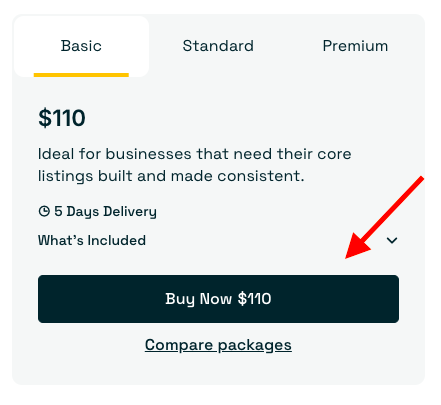
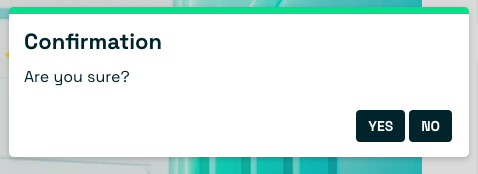
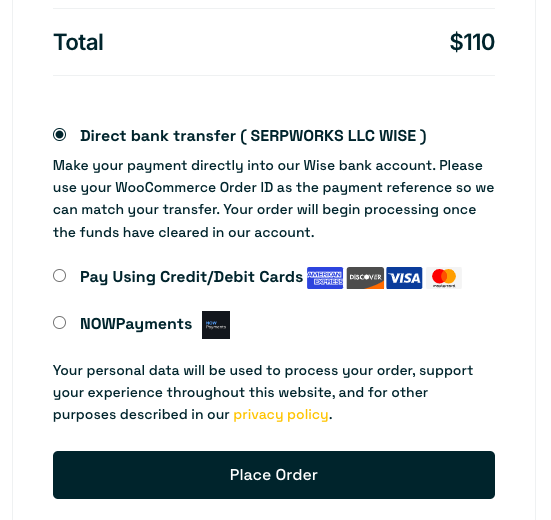
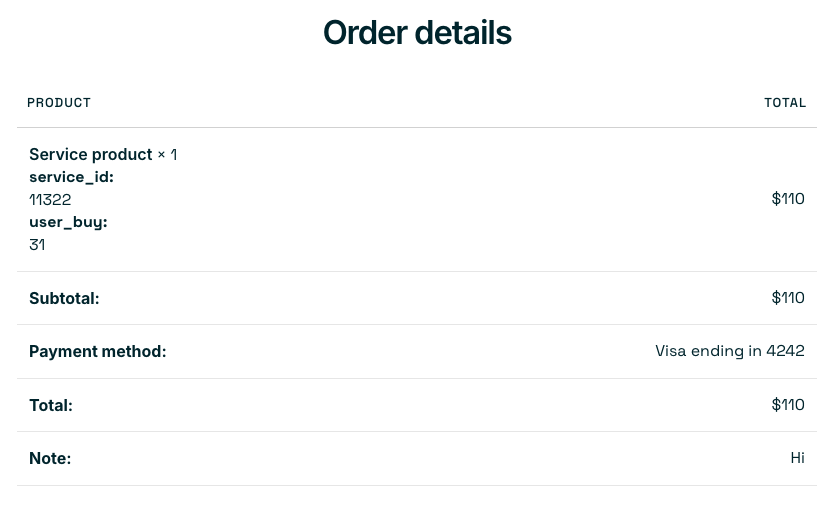
Once you find a service you wish to buy, carefully review all details, including pricing packages and available add-ons. If you have any questions, click the Contact Seller button to chat directly with the freelancer. When you are ready, click Buy Now. A confirmation pop-up will appear; click Yes, and you will see a notification stating "Redirecting to cart/checkout page". Enter your payment details and click Place Order. Review the checkout page carefully, add any necessary notes for the seller, and complete your purchase to generate your invoice.
Step 3: Access Your Ongoing Order
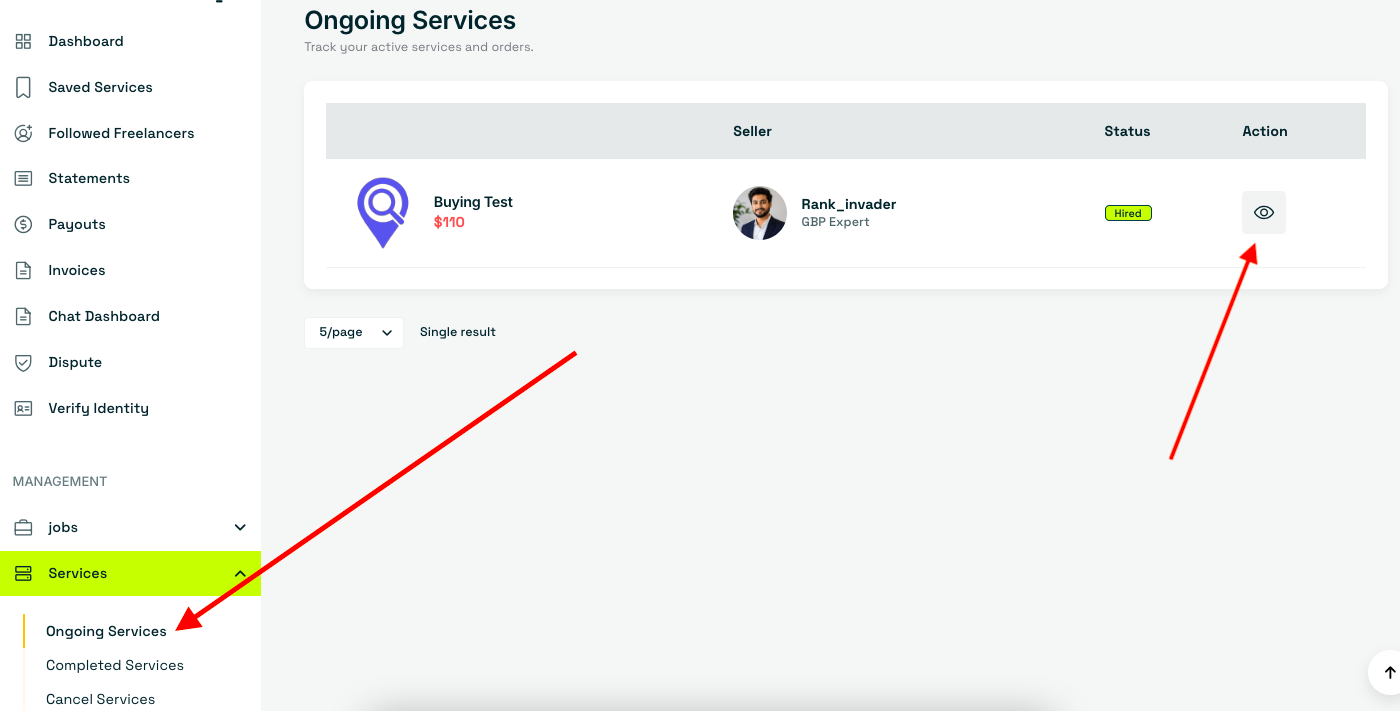
Once your payment is confirmed by the Serpworks Escrow Team, go to Dashboard > Services > Ongoing Services to view your active order. Click the View icon under the Actions column to open the order page.
Step 4: Communicate & Send Updates
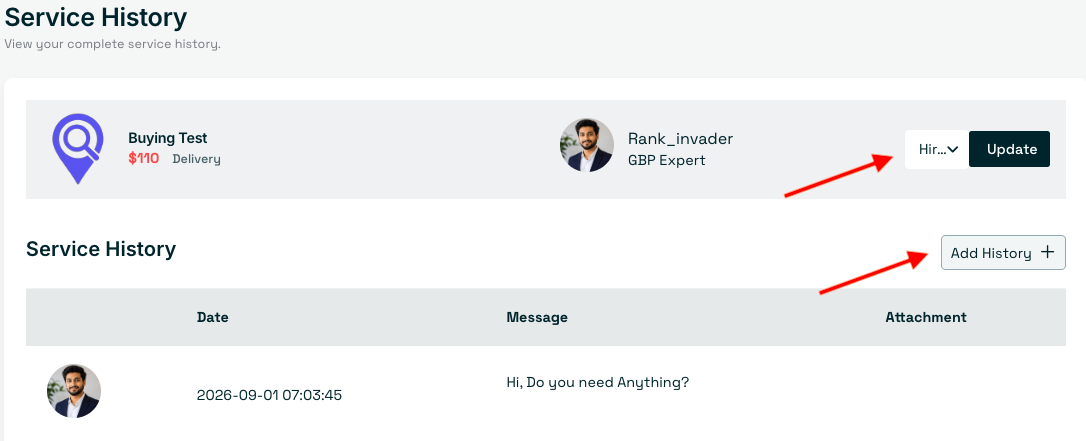
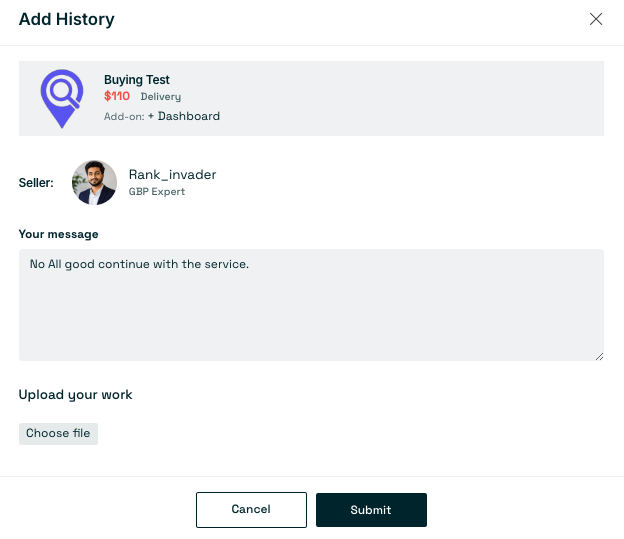
To send an update to the freelancer, click the Add History button. A pop-up will appear where you can type a message, attach relevant files, and click Submit. You can also review all communication and updates from the freelancer on the Order History page.
Step 5: Complete or Cancel the Order
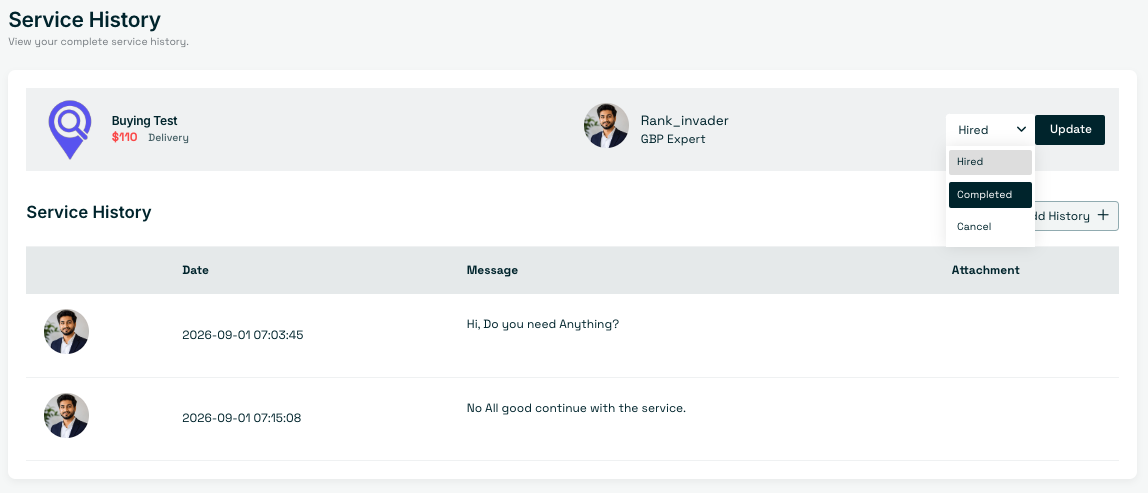
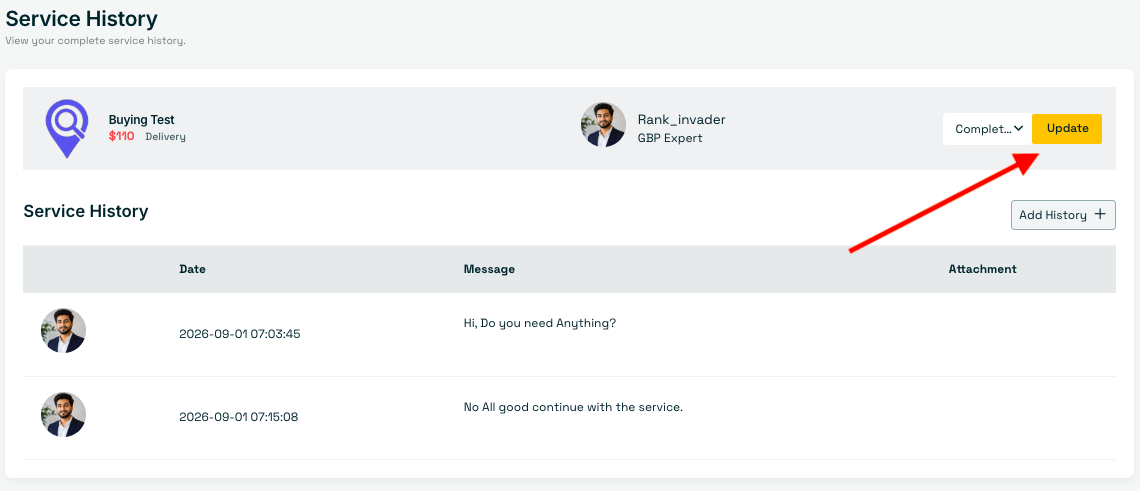
When the freelancer delivers the work, update the order status by selecting Completed and clicking Update. If you need to cancel the order for a valid reason, select Cancel. Once cancelled, your funds (minus the platform service fee) will be refunded to your account wallet.
Step 6: Leave a Review
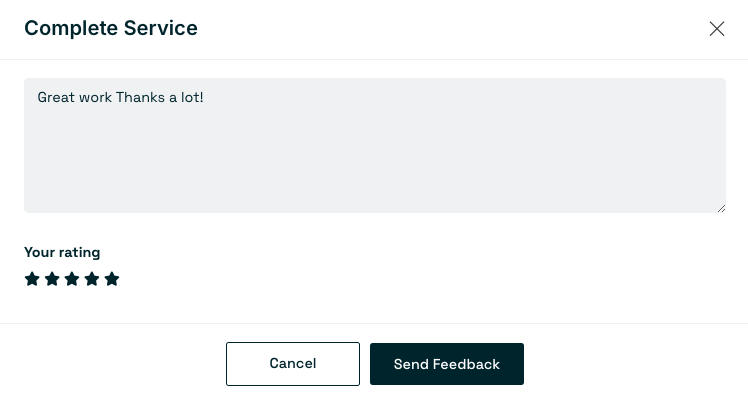
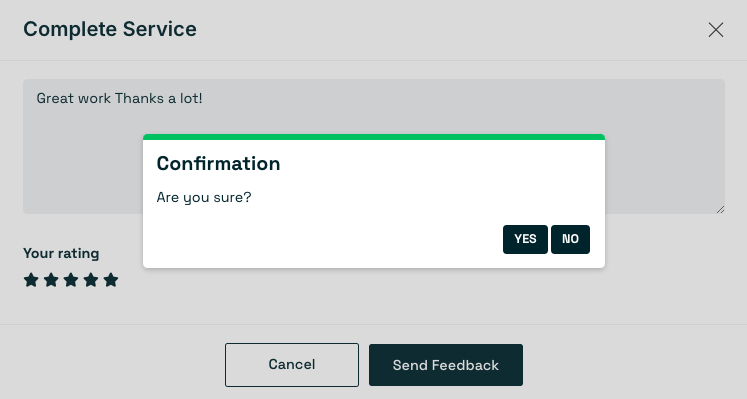
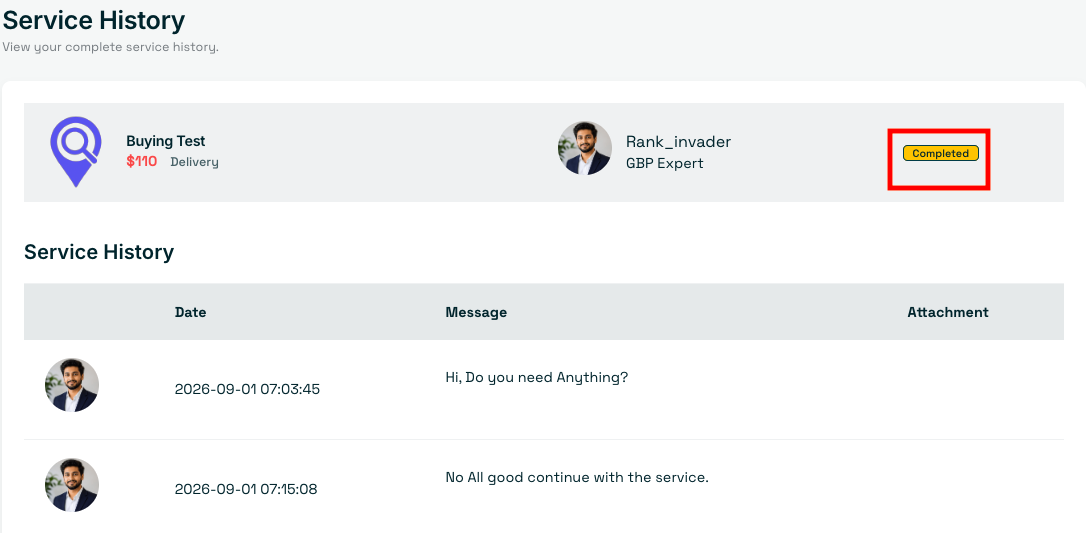
After marking the order as complete, you will be prompted to review the freelancer. Write a review reflecting your experience, select a star rating, and click Send Feedback. Confirm your action by clicking Yes on the pop-up. Once submitted, the status on the Order page will display as Complete.
Step 7: Disputes & Guarantees
You are eligible to raise a dispute according to the freelancer’s service terms and conditions or any money-back guarantee offered. The Serpworks team will review and resolve all submitted disputes.
Frequently Asked Questions (FAQs)
How does the payment protection work when buying a service?
Your payment is securely held by the Serpworks Escrow Team when you place an order. The funds are only released to the freelancer after you review the delivered work and mark the order as complete.
What should I do if I am not satisfied with the delivered work?
You can communicate directly with the freelancer through the Order History page to request revisions. If the work does not meet the agreed-upon requirements or the seller's terms, you may cancel the order or raise a dispute for the Serpworks team to review.
How do refunds work if an order is cancelled?
If an order is cancelled, the funds, excluding the platform service fee, are credited back to your Serpworks account wallet, which you can use for future purchases.
Ready to Scale Your Projects?
Find the expertise you need today. Browse thousands of verified freelancers and specialized services tailored to your business goals. Explore Services Now.