How to Deposit Funds into Your Serpworks Wallet

A complete step-by-step guide on adding funds, checking deposit status, and downloading invoices on Serpworks.

Why This Guide Is Useful

Managing your balance on Serpworks ensures smooth project funding, seamless payments to freelancers, and instant order checkouts. This guide walks you through the quick process of adding funds to your digital wallet and managing your transaction receipts effortlessly.

Step 1: Navigate to Statements & Click Deposit

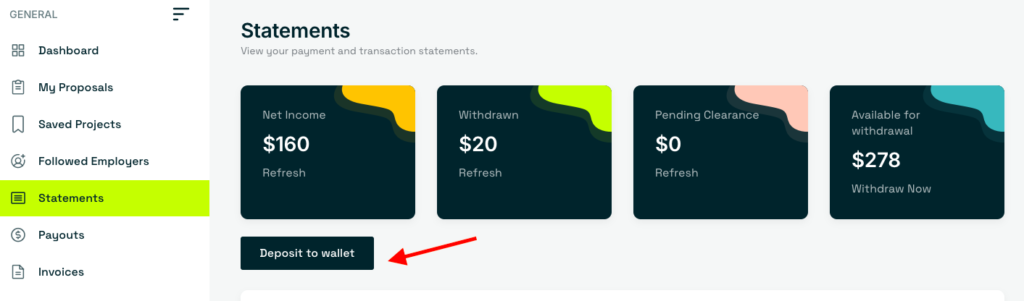
After logging in to your dashboard, go to the Statements page from the sidebar menu and click the Deposit to Wallet button.

Step 2: Enter Amount & Place Order

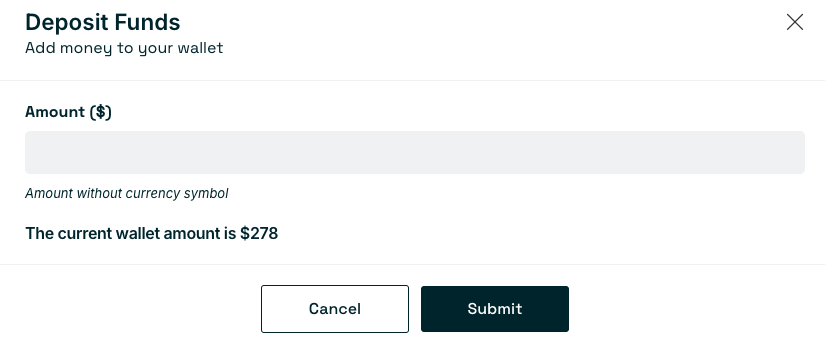
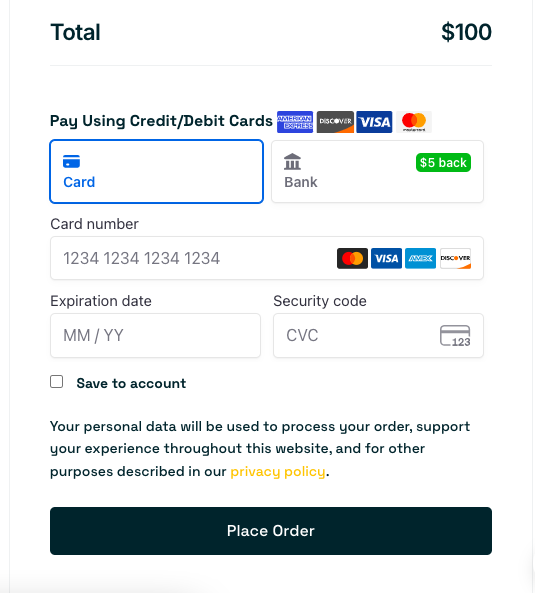
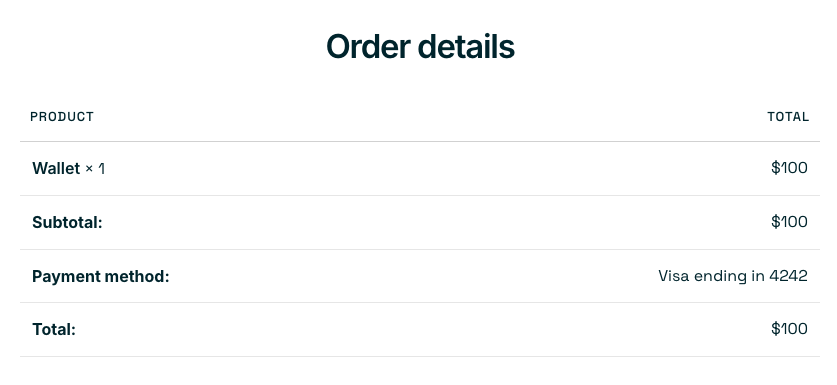
Enter your desired amount on the deposit popup and click Submit. Then click Place Order after entering your payment details. You will be redirected to the Checkout page with your invoice.

Step 3: Track Deposit Approval Status

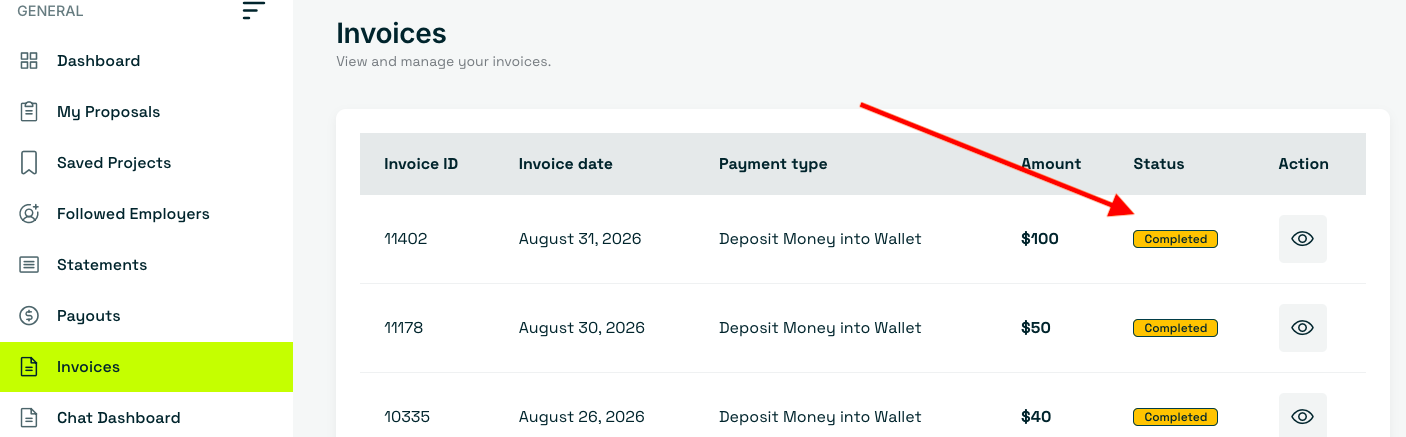
To check status, navigate to Dashboard > Statements. Your transaction will show as Pending. Once verified and approved by the Support team, the status will change to Completed and the amount will be added to your wallet balance.

Step 4: View & Print Invoices

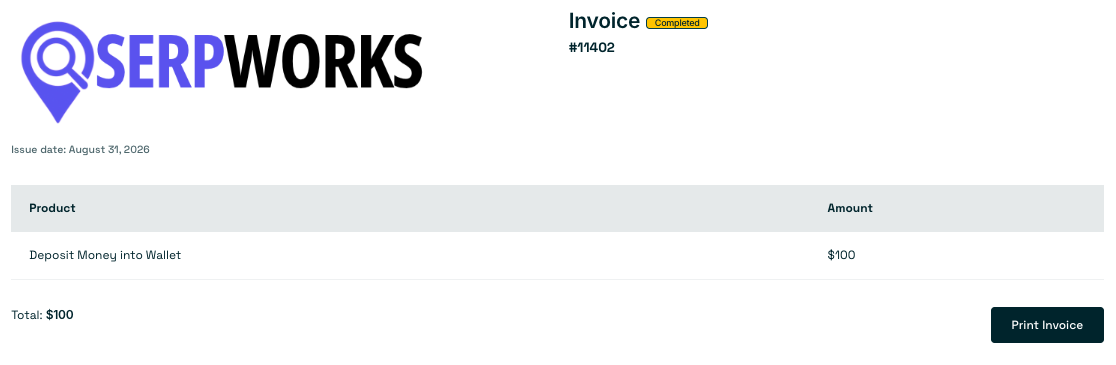
If you want to download or view your invoice, go to Dashboard > Invoices and click on the Actions Icon. You will be able to view the complete invoice details along with an option to print it for your financial records.

Frequently Asked Questions

How long does it take for deposit verification?

Deposit approvals are handled promptly by our support team. Once payment confirmation is received, funds typically reflect in your active wallet balance within minutes.

Can I use my wallet balance to pay freelancers directly?

Yes, your available wallet balance can be used instantly to fund project milestones, hire freelancers, or purchase fixed-price services without repeatedly entering card details.

Where can I find official receipts for accounting?

All completed deposit receipts are automatically saved. Navigate to Dashboard > Invoices anytime to view, download, or print official copies for your records.

Ready to Fund Your Next Project?

Add funds to your wallet today to hire top talent and start collaborating on Serpworks instantly.

Go to Your Dashboard